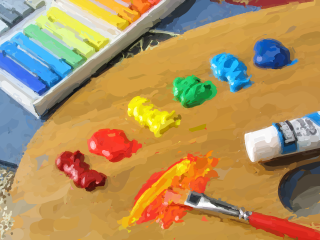
I implemented Aaron Hertzmann's "Painterly Rendering with Curved Brush Strokes of Multiple Sizes" [1], with the image processing operations performed on the GPU. The painterly rendering algorithm produces images that appear hand-painted. The algorithm builds the painting up in layers, with each layer corresponding to a single brush size. The algorithm performs blurring, edge detection, difference, and averaging operations on images when rendering each layer. All these steps are 2D convolution operations in which a kernel or multiple kernels are applied to each pixel in an image. Such repetitive calculations are suitable for GPU implementations, because of the hardware's massive parallelism.
PAINTERLY RENDERING
The painterly rendering algorithm transforms an input image into a version of the image that looks hand-painted. The algorithm progressively refines the painting by first placing large brush strokes in large, flat areas of color in the source image, and then drawing an additional layer for each smaller brush size in decreasing order. The algorithm uses small brush strokes only in regions of high detail in the source image. Therefore, the lower layers, those with broad brush strokes, are still visible in the final painting.
For each layer, the algorithm creates a reference image by blurring the source image to a degree proportional to the brush size used in the layer. Reference images represent the image to be approximated by each brush. Therefore, large brushes approximate only the gross features in a source image and small brushes approximate the fine features. In pseudocode, this algorithm is written as:
Paint (source_image, brush_radii[])
{
	canvas := constant color image
	foreach brush radius r from largest to smallest do
		reference_image = gaussian_blur (source_image)
		PaintLayer (canvas, reference_image, r)
	end
}
The PaintLayer routine paints a new layer on
the canvas based on the current reference image and brush size. The
routine chooses starting points for brush strokes by traversing a grid
whose size is proportional to the brush size. The average color
difference between the canvas and the reference image at each grid
point is computed and compared to a threshold. If the difference is
greater than the threshold for a grid point, then a stroke is drawn
for that grid point. This thresholding allows previously drawn layers
to remain visible, because each successive layer does not cover the
entire canvas. The actual starting point for each stroke is chosen as
the pixel in the neighborhood with greatest difference between the
canvas and the reference image. The routine is written as:
PaintLayer (canvas, reference_image, r)
{
	S := empty set of strokes
	D := pointwise_difference (canvas, reference_image)
	grid := f_g * r
	for x in [0..width] step grid do
		for y in [0..height] step grid do
			area_error := average difference of points in grid*grid neighborhood around (x,y)
			if (area_error > threshold) then
				(x',y') := largest error point in neighborhood around (x,y)
				s := MakeStroke (r, x', y', reference_image)
				add s to S
		end
	end
	paint strokes in S in random order
}
where f_g is some constant grid size
factor. The distance between two colors is defined as sqrt((r_1-r_2)^2 + (g_1-g_2)^2 + (b_1-b_2)^2).
make_stroke draws a brush stroke of radius
r starting at (x',y').
CURVED BRUSH STROKES
The brush strokes are modeled as cubic B-splines, and have constant thickness and color. Each successive B-spline control point is located by following the image gradient's normal for the length of the brush radius. Therefore, the splines roughly match the reference image's isocontours. Sobel edge detection of the reference image luminance determines the image gradients. A stroke ends when it has either reached a maximum length or when its color deviates too much from the reference image.
When choosing the normal of the image gradient for a control point there are two candidates. Hertzmann chooses the normal that minimizes the stroke curvature. The algorithm can also limit or exaggerate the curvature by filtering the stroke directions. Strokes are rendered using OpenGL with either points or a triangle strip along the subdivided B-spline. The stroke drawing algorithm is written as:
MakeStroke (r, x0, y0, reference_image)
{
	stroke_color := reference_image at (x0,y0)
	K := stroke of radius r and color stroke_color
	add (x0,y0) to K
	(x,y) = (x0,y0)
	(last_dx,last_dy) := (0,0)
	for i in [1..max_stroke_length] do
		if (i > min_stroke_length and
			   |reference_image at (x,y) - canvas at (x,y)| <
			   |reference_image at (x,y) - stroke_color|) then
			return K
		// detect vanishing gradient
		if reference_image gradient magnitude at (x,y) near 0 then
			return K
		// get unit vector of gradient
		(gx,gy) := reference_image gradient direction at (x,y)
		// compute a normal direction
		(dx,dy) := (-gy,gx)
		// reverse normal if necessary
		if (last_dx * dx + last_dy * dy < 0) then
			(dx,dy) := (-dx,-dy)
		// filter the stroke direction
		(dx,dy) := f_c*(dx,dy) + (1-f_c)*(last_dx,last_dy)
		normalize (dx,dy)
		(x,y) := (x+r*dx,y+r*dy)
		(last_dx,last_dy) := (dx,dy)
		add (x,y) to K
	end
	return K
}
where f_c is a filter constant.
RENDERING STYLES
Hertzmann's painterly rendering algorithm makes uses of style parameters:
GPU-ACCELERATION
When drawing each layer, the painterly rendering algorithm described above performs four image processing operations that cleanly and directly map to to the GPU: blurring, edge detection, difference, and area averaging. I implemented each operation in fragment programs. The input images are bound as textures and the results are written to textures.
I implemented the blurring operation as a separable Gaussian blur. In general, a 2D convolution requires (width * height) multiplications per pixel, but when the convolution filter can separated the convolution requires only (width + height) multiplications per pixel. Therefore, I first convolve the image with a (n * 1) filter, then convolve the resulting image with a (1 * n) filter. As an example, my Gaussian blur with a 5x5 filter uses the following two fragment programs to create a reference image from the source image:
// Horizontal filter.
void
main (half4 position : POSITION,
      half2 texCoord : TEXCOORD0,

      uniform samplerRECT image,
      uniform half weights[5],

      out half4 color : COLOR)
{
	color = 0;
	for (int x = -2; x <= 2; x++) {
		color += texRECT(image, half2(texCoord.x+x, texCoord.y)) * weights[x+2];
	}
}

// Vertical filter.
void
main (half4 position : POSITION,
      half2 texCoord : TEXCOORD0,

      uniform samplerRECT image,
      uniform half weights[5],

      out half4 color : COLOR)
{
	color = 0;
	for (int y = -2; y <= 2; y++) {
		color += texRECT(image, half2(texCoord.x, texCoord.y+y)) * weights[y+2];
	}
}
The Gaussian filter coefficients are bound to weights. The source image is initially bound as image in the horizontal pass, then the result of that pass is bound to image in the vertical pass. The result is a Gaussian blurred source image—the reference image. I have four sets of these horizontal/vertical filter fragment programs; one for each of the four brush sizes defined by my program.
The PaintLayer routine finds the difference between the canvas and the reference image with the following fragment program:
void
main (half4 position : POSITION,
      half2 texCoord : TEXCOORD0,

      uniform samplerRECT canvas,
      uniform samplerRECT reference_image,

      out half3 color : COLOR)
{
	half3 c = texRECT(canvas, texCoord);
	half3 r = texRECT(reference_image, texCoord);
	color = distance(c, r);
}
Note that the distance function computes the
Euclidean distance between c and r—the exact computation to find the color
difference.
The PaintLayer routine also finds the average color difference in the neighborhood of each grid point. I achieve this by feeding the result of the above difference operation into a box filter convolution. Like the Gaussian filter, the box filter is separable. Therefore, I can use the same set of fragment programs as the Gaussian blur, but I bind uniform fractional weights to the weights arrays.
Finally, the MakeStroke routine of the painterly rendering algorithm requires the image gradient directions and magnitudes. I find these by Sobel filtering the luminance of the reference image in two passes, first with the filter:
|-1 -2 -1|
| 0  0  0|
| 1  2  1|
and then with the transpose of that filter:
|-1  0  1|
|-2  0  2|
|-1  0  1|
I store the results in a 16-bit floating point texture. As an optimization, the texture coordinates of the neighboring fragments are computed in a vertex program. My Sobel filtering fragment program is:
void
main (half4 position        : POSITION,
      half2 texCoord        : TEXCOORD0,
      half4 texCoord_ne_nw  : TEXCOORD1,
      half4 texCoord_n_s    : TEXCOORD2,
      half4 texCoord_e_w    : TEXCOORD3,
      half4 texCoord_se_sw  : TEXCOORD4,

      uniform samplerRECT reference_image,

      out half4 color : COLOR)
{
	static const half3 lum = half3 (0.3, 0.59, 0.11);
	static const int weights[2][9] = {{-1, 0, 1, -2, 0, 2, -1, 0, 1},  // top to bottom
					  {-1, -2, -1, 0, 0, 0, 1, 2, 1}}; // left to right
	half2 g = half2(0,0);
	color = 0.0;
	half lums[9];
	lums[0] = dot(lum, texRECT (reference_image, texCoord_se_sw.zw));
	lums[1] = dot(lum, texRECT (reference_image, texCoord_n_s.zw));
	lums[2] = dot(lum, texRECT (reference_image, texCoord_se_sw.xy));
	lums[3] = dot(lum, texRECT (reference_image, texCoord_e_w.zw));
	lums[4] = dot(lum, texRECT (reference_image, texCoord));
	lums[5] = dot(lum, texRECT (reference_image, texCoord_e_w.xy));
	lums[6] = dot(lum, texRECT (reference_image, texCoord_ne_nw.zw));
	lums[7] = dot(lum, texRECT (reference_image, texCoord_n_s.xy));
	lums[8] = dot(lum, texRECT (reference_image, texCoord_ne_nw.xy));

	for (int i = 0; i < 9; i++) {
		g += lums[i] * int2(weights[0][i], weights[1][i]);
	}

	// Magnitude.
	color.r = length(g);
	// Direction.
	color.gb = normalize(g);
	color.g = -color.g;
}
Note that the fragment program normalizes the direction and computes
the normal direction by flipping the sign of one of the direction
components.
The results of three of the four image processing operations performed on the GPU are read back to the CPU in order to draw the brush strokes; only the difference operation result is not read back. Note that the canvas is rendered using OpenGL and never needs to be read back from the GPU. For each layer, the brush strokes are rendered to the canvas using render-to-texture operations. Therefore, the canvas is always available as a texture for the next layer's image processing operations or to be displayed.
PERFORMANCE
I tested my program on a 3GHz Pentium 4 with a Quadro FX 500 graphics card. The processing time should be roughly proportional to the source image size. The GPU image processing and the CPU stroke calculations are both included in these approximate measurements:
| Image Size | Processing Time |
|---|---|
| 320x240 | 0.5 s |
| 640x480 | 2 s |
| 1280x850 | 5.5 s |
| Image Size | Processing Time |
|---|---|
| 320x240 | 0.38 s |
| 640x480 | 1.17 s |
| 1280x850 | 2.5 s |
| Image Size | GPU Processing Time |
|---|---|
| 320x240 | 0.22 s |
| 640x480 | 0.28 s |
| 1280x850 | 0.50 s |
RESULTS
Examples of the painting styles are presented on separate pages:
Impressionism
Expressionism
Pointillism
Colorist Wash
REFERENCES